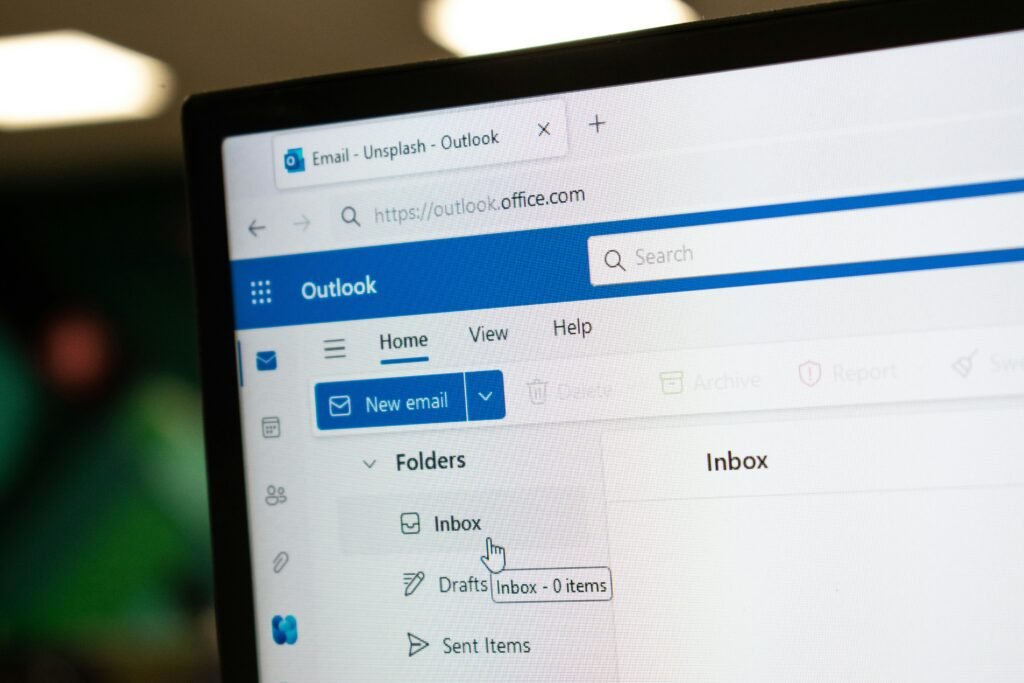
Earthlink Webmail Account
Introduction to Earthlink Webmail
Earthlink Webmail is a comprehensive email service provided by Earthlink, a prominent internet service provider in the United States. Designed for both personal and professional use, Earthlink Webmail offers users a reliable platform for managing their communications. The service boasts a range of features aimed at enhancing user experience, including customizable inbox organization, spam filtering, and integrated calendar functionalities, which allow users to keep track of appointments and important dates directly within their email interface.
One of the key benefits of Earthlink Webmail is its user-friendly interface. The layout is intuitive, enabling easy navigation even for those less experienced with technology. Users can quickly access their emails, compose new messages, and manage files and attachments seamlessly. Additionally, Earthlink Webmail supports various devices, including desktops, laptops, tablets, and smartphones, ensuring that users can stay connected and access their accounts anytime and anywhere.
Security is another significant aspect of Earthlink Webmail that users rely on. With an increasing number of cyber threats, Earthlink has implemented robust security measures to protect users’ information, including advanced encryption protocols and multi-factor authentication. This focus on security not only enhances user trust but also ensures the integrity of sensitive communications. Furthermore, the service includes ample storage capacity, allowing users to maintain a large archive of emails without concern for space limitations.
In summary, Earthlink Webmail provides a dependable and feature-rich platform for email communication, crucial for both personal and professional correspondences. Its emphasis on user-friendly design and security features makes it a popular choice among users who value efficient and secure email management.
Common Login Issues and Troubleshooting
When accessing your Earthlink webmail account, users may encounter various login issues that can hinder their ability to read and send emails. Understanding these common problems can help streamline the troubleshooting process and restore access more efficiently.
One of the most frequent issues is forgotten passwords. Users often struggle to recall their passwords, especially if they have not accessed their account for an extended period. In such cases, Earthlink provides a password recovery option. By selecting the “Forgot Password?” link on the login page, users can receive instructions for resetting their password via their registered recovery email or phone number. It is advisable to choose a strong password that is difficult to guess yet memorable. Additionally, users should consider updating their passwords regularly to maintain account security.
Another common complication stems from username errors. Users may mistakenly input their username incorrectly or use an outdated one. To resolve such issues, it is essential to verify the username associated with the account. If uncertain, users can navigate to the Earthlink account recovery page, which offers options to retrieve or confirm their username by providing necessary identification details.
Account lockouts may also occur after multiple unsuccessful login attempts. This security measure is in place to protect users from unauthorized access. If locked out, users will typically need to wait for a predetermined period before attempting to log in again, or they may follow the account recovery procedures to regain access immediately. Familiarizing oneself with these common login issues and the available solutions can significantly enhance the user experience when accessing Earthlink webmail.
Step-by-Step Login Process
Accessing your Earthlink Webmail account is a straightforward process that requires a few simple steps. Begin by opening your preferred web browser and navigating to the official Earthlink website. Once there, locate the ‘Webmail’ link, typically found on the homepage. This will redirect you to the Earthlink Webmail login page, where you can enter your credentials.
On the login page, you will find fields to input your username and password. Your username is usually your Earthlink email address, while your password is the one you created during account registration. It is essential to ensure that there are no mistakes in your typing, as even a minor error can prevent you from accessing your account. If you have forgotten your password, there is typically a ‘Forgot Password?’ link available that can help you reset it.
After you have entered the required information, double-check it for accuracy before clicking the ‘Login’ button. This action will take you directly to your Earthlink Webmail inbox, where you can view and manage your emails. Once logged in, familiarize yourself with the interface, which typically includes sections for your inbox, sent items, and other folders. Should you encounter any issues, Earthlink provides customer support and troubleshooting resources, which can assist you in resolving login difficulties.
Additionally, if you access your Earthlink Webmail account from a public or shared device, remember to log out after your session to safeguard your information. This simple practice enhances your security and protects your personal data from unauthorized access. By following these steps, you can efficiently log in to your Earthlink Webmail account and stay connected with your communications.
Password Management: Resetting and Changing Your Password
Effective password management is essential for safeguarding your Earthlink webmail account. Whether you have forgotten your current password or simply wish to enhance your account’s security, knowing how to reset or change your password is crucial. This section will guide you through the necessary steps to accomplish both tasks.
To reset a forgotten password, start by navigating to the Earthlink webmail login page. Look for the “Forgot Password?” link, typically located near the password entry field. Clicking this link will direct you to the password recovery interface. Here, you will need to enter your registered email address or username. Earthlink will then send a password reset link to your email. Follow the link, and you will be prompted to create a new password. Choose a unique password that combines upper and lower case letters, numbers, and symbols to enhance its strength.
If you are looking to change your existing password for increased security, log in to your Earthlink webmail account as usual. Once logged in, navigate to your account settings, which can usually be found in the upper-right corner of the screen. Within the settings, locate the ‘Security’ or ‘Password’ section. Here you will have the option to change your current password. Enter your current password followed by the new password you’ve selected. Again, ensure that your new password is strong and unique to help prevent unauthorized access.
As a best practice, consider updating your passwords periodically and avoid using the same password across multiple accounts. Utilizing a password manager can also assist in maintaining complex passwords securely. By following these guidelines, you will significantly reduce the risk of your Earthlink webmail account being compromised.
Enhancing Security: Two-Factor Authentication
In today’s digital landscape, securing online accounts has become a paramount concern, particularly for email services such as Earthlink Webmail. One of the most effective measures for enhancing account security is the implementation of two-factor authentication (2FA). This process adds an additional layer of protection beyond simply entering a username and password, dramatically reducing the risk of unauthorized access.
Two-factor authentication operates by requiring users to provide two forms of verification before accessing their accounts. The first step involves the standard login credentials, including your Earthlink Webmail username and password. Upon entering these details correctly, users are prompted to provide a second form of authentication, typically a code sent via text message or generated by an authentication app. This ensures that even if someone were to acquire your login information, they would still need this second piece of data to gain access to your account, thereby significantly enhancing security.
Enabling two-factor authentication for your Earthlink Webmail account is a straightforward process. Begin by logging into your Earthlink Webmail account and navigating to the account settings section. Look for the security settings or two-factor authentication options. You will be prompted to select your preferred method for receiving the verification code, such as through SMS or an authentication application like Google Authenticator. After choosing your method, follow the prompts to finalize the setup. Be sure to save any backup codes provided, as these can be invaluable in case you lose access to your primary authentication method.
Implementing two-factor authentication for your Earthlink Webmail account not only fortifies your security but also enhances your peace of mind. By taking these proactive steps, you can better protect sensitive information and safeguard your online identity from potential threats. As cyber threats become increasingly sophisticated, taking full advantage of available security features is essential for maintaining the integrity of your personal and professional communications.
Recovering Your Account After Unauthorized Access
Experiencing unauthorized access to your Earthlink webmail account can be concerning, but there are several steps you can take to recover your account and secure it against future breaches. First and foremost, it is crucial that you attempt to regain access to your email account as soon as possible. Start by visiting the Earthlink webmail login page and click on the “Forgot Password?” link. This will guide you through the process of resetting your password, which typically involves receiving a reset link or verification code via an alternate email or mobile number associated with your account.
If you can access your account after resetting the password, the next step is to review your account settings. Check for any unauthorized changes, including modifications to security questions, alternate email addresses, or phone numbers. It is advisable to update your security questions to ones that only you can answer. Additionally, consider enabling two-factor authentication (2FA) for an added layer of security. This means that even if someone obtains your password, they would still need a second form of verification, such as a code sent to your mobile device, to access your account.
In case you are unable to regain access through the password reset option, contacting Earthlink customer support is recommended. They can provide further authentication checks to help you recover your account. Prepare to answer questions regarding account details or any recent activity that may help verify your identity.
Finally, it is essential to take preventative measures after recovering your Earthlink webmail account. Regularly update your password using a strong password generator, avoid using the same password across multiple sites, and monitor your account activity closely for any suspicious behavior. By following these guidelines, you can help protect your account and reduce the risk of future unauthorized access.
User Interface and Navigation Tips
Navigating your Earthlink Webmail account can be straightforward once you become familiar with its user interface. Upon logging in, users are welcomed with a clean, organized dashboard. The main navigation panel is typically positioned on the left side, displaying your email folders such as “Inbox,” “Sent,” “Drafts,” and any custom folders you may have created. Understanding where these elements are located is essential for efficient email management.
To compose a new email, locate the “Compose” button, usually situated at the top left of the screen. Clicking this button opens a new window where you can enter the recipient’s email address, subject line, and body of the message. Earthlink Webmail also allows users to attach files easily by clicking the “Attach” option within the compose window, making it efficient to share documents.
Organizing your emails into folders can significantly enhance your inbox management. By right-clicking on the folders section, you can create new folders or rename existing ones to suit your organizational style. Dragging and dropping emails into these folders can make keeping your inbox uncluttered easier, ensuring that important messages are easily accessible.
The search function is another valuable feature within Earthlink Webmail. If you are trying to locate a specific email, simply enter keywords related to the email in the search bar, typically located at the top. This feature allows you to filter results by sender, date, or subject, streamlining the process of finding important communications.
Incorporating these navigation tips will enhance your experience with Earthlink Webmail, making it easier to manage your communications effectively. Familiarize yourself with these features to utilize the platform to its full potential.
Mobile Access: Logging in on Your Smartphone
Accessing your Earthlink webmail account on mobile devices has become increasingly essential due to the growth of remote work and constant connectivity. To ensure you can check your emails on the go, there are several methods available. The Earthlink mobile application is a convenient option, allowing users to access their emails seamlessly. To get started, visit the App Store or Google Play Store and download the Earthlink app. Once installed, open the app and enter your Earthlink email address and password to log in. The app is designed for ease of use, featuring a clean interface that mimics the desktop experience, making email management straightforward.
If users prefer not to download an app, accessing Earthlink webmail through a mobile browser is a viable alternative. Simply open your preferred mobile browser, type in the Earthlink webmail URL, and log in with your credentials. While the mobile web version may not offer all the functionalities of the app, it remains a reliable way to manage your emails while on the go.
To enhance your experience while using Earthlink webmail on smartphones or tablets, here are a few tips. Firstly, ensure that your device’s operating system and browser are up to date. This will improve performance and security when accessing your email. Additionally, consider enabling push notifications in the Earthlink app settings to receive alerts on new messages in real time. Lastly, utilize features like bookmarks to quickly access the webmail login page in your mobile browser, facilitating a more rapid login process. By employing these strategies, you can ensure a smooth and efficient experience while using Earthlink webmail on your mobile devices.
Conclusion and Summary of Features
In conclusion, accessing and managing your Earthlink Webmail account offers various features that enhance your email experience. Throughout this guide, we have highlighted several key aspects that are crucial for ensuring a secure and efficient email communication process. One of the most significant points emphasized is the importance of using strong, unique passwords. A robust password not only protects your Earthlink Webmail account but also serves as the first line of defense against unauthorized access.
Furthermore, implementing additional security measures, such as enabling two-factor authentication, enhances the security of your email account. This extra layer of protection is invaluable, particularly in an era where cyber threats are prevalent and ever-evolving. Ensuring email security also contributes to the overall functionality of your Earthlink Webmail, allowing users to communicate with confidence, knowing that their private information is safeguarded.
Moreover, the Earthlink Webmail platform offers a user-friendly interface and various features that cater to the needs of its users. From organizing emails with folders to utilizing the powerful search function for quick access to important messages, Earthlink Webmail enables seamless email management. Users can also enjoy integrated calendar features and tools for organizing contacts, making it easier to keep track of appointments and maintain effective communication.
By embracing these security practices and taking full advantage of the Earthlink Webmail features, users can enhance their overall email experience. We encourage you to log in to your Earthlink Webmail account securely and explore its capabilities further. Discover the functionalities that can help streamline your communication and enhance your productivity efficiently.

We create powerful, insightful content that fuels the minds of entrepreneurs and business owners, inspiring them to innovate, grow, and succeed.