Virtual Meeting Etiquette- 47 Rules That Transform Zoom Chaos Into Professional Success
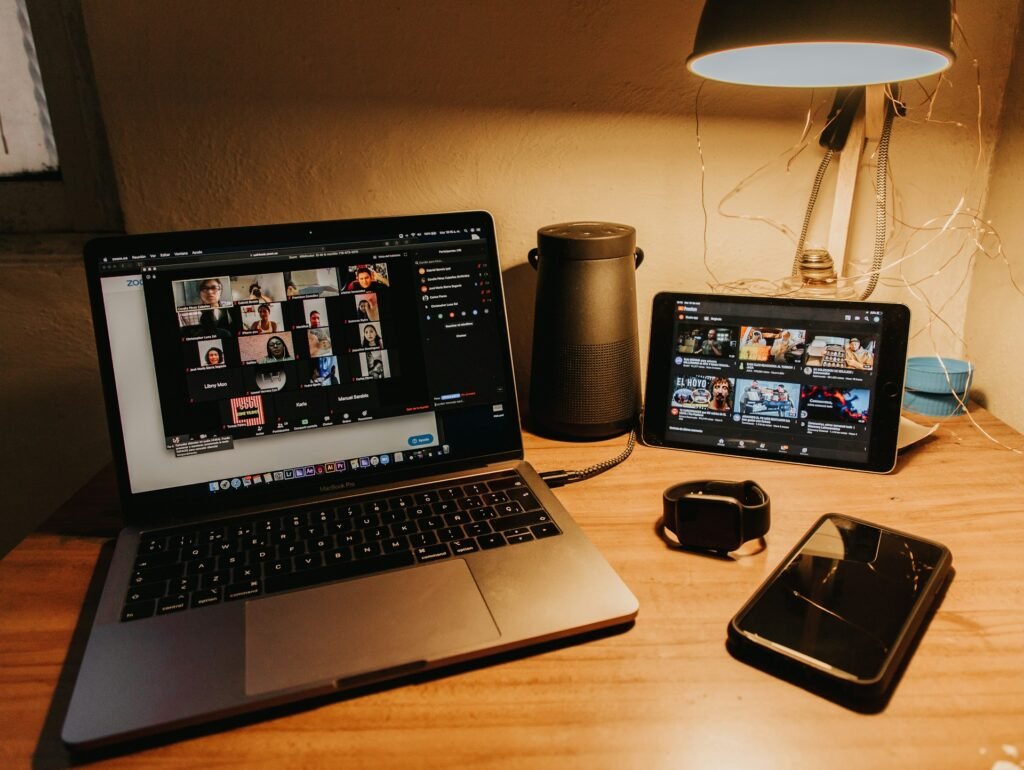
Remote work has rewired how we communicate. Yet most professionals still approach virtual meetings with in-person habits that don’t translate to screens. The result? Awkward silences, talking-over collisions, and the nagging suspicion that nobody’s actually listening.
Here’s what changed: professionals now spend 62% of their work week in virtual meetings, yet only 23% have received formal training on virtual communication skills. This gap costs more than productivity—it costs careers. Executives report that poor virtual meeting behavior has derailed promotions, damaged client relationships, and created barriers to team cohesion.
This guide delivers 47 specific, immediately actionable rules for virtual meeting etiquette that distinguish exceptional professionals from everyone else stuck on mute wondering if their microphone is working.
The New Rules: Why Virtual Meeting Etiquette Demands Different Skills
Traditional meeting etiquette assumed physical presence, ambient social cues, and spatial dynamics that simply don’t exist through webcams. Virtual meeting etiquette requires rebuilding these social contracts from first principles.
Consider this: in a physical conference room, you naturally know when someone’s about to speak because they shift their posture, make eye contact, or take a breath. On Zoom, these microgestures disappear. The medium strips away 70% of non-verbal communication, replacing it with technical interfaces, artificial framing, and the cognitive dissonance of seeing yourself while talking.
This isn’t just different—it’s fundamentally harder. Virtual meeting etiquette compensates for these lost signals through explicit behaviors, conscious technical choices, and deliberate communication patterns.
The Triple Foundation: Technology, Environment, and Mindset
Technology: Your Digital Handshake
Your technical setup communicates before you speak. Poor audio signals carelessness. Frozen video suggests incompetence. Connection dropouts imply disrespect for others’ time.
The 15-Minute Rule: Test everything a full 15 minutes before any meeting. Not 5 minutes. Not “right before.” Fifteen minutes gives you buffer time to solve problems without making everyone wait.
What to test:
- Microphone input levels (speak normally and check the meter)
- Camera focus and positioning (eye-level, well-lit, centered)
- Internet speed (minimum 3 Mbps upload for stable HD video)
- Platform updates (outdated software causes 73% of meeting disruptions)
- Audio output (ensure you’re using the right speakers/headphones)
Backup Systems Checklist:
| Primary System | Backup Solution | Emergency Backup |
|---|---|---|
| Wi-Fi connection | Ethernet cable | Mobile hotspot |
| Computer audio | USB microphone | Phone dial-in |
| Built-in camera | External webcam | Phone camera |
| Main laptop | Secondary device | Borrowed device |
Professional virtual meeting etiquette means having redundancy built into your setup. The question isn’t if technology will fail—it’s when, and whether you’re prepared.
Environment: Controlling Your Frame
What appears behind you isn’t just decoration—it’s part of your professional identity. Virtual meeting etiquette treats your background as seriously as your outfit.
The Three-Zone Background Strategy:
- Zone 1 (Professional): Bookshelves, plain walls, minimal office décor. Use for client meetings, job interviews, and formal presentations.
- Zone 2 (Personalized Professional): A bit of personality—plants, tasteful art, organized workspace. Use for team meetings and regular check-ins.
- Zone 3 (Virtual): Blurred or subtle virtual backgrounds. Reserve for situations where your physical space is unavoidable but unprofessional.
Lighting Fundamentals:
The single biggest upgrade to your virtual presence costs under $40: a ring light or desk lamp positioned in front of you, slightly above eye level. Good lighting makes you look alert, engaged, and professional. Poor lighting (especially backlighting from windows) makes you look like a suspicious witness in a crime documentary.
The Sound Barrier:
Ambient noise destroys virtual meetings. Your responsibility extends to:
- Closing doors between you and household activity
- Using noise-canceling headphones for ambient suppression
- Muting notification sounds on all devices
- Communicating your schedule to others sharing your space
- Having backup quiet locations identified (parked car, closet, library)
Mindset: The Presence Shift
Virtual meeting etiquette begins with understanding that digital presence requires more intentional energy than physical presence. In a conference room, your body naturally fills space. On screen, you must actively project engagement.
The Attention Paradox: Research shows that people feel more observed in virtual meetings than in-person (thanks to the grid of faces staring back), yet they’re simultaneously more distracted. Skilled professionals navigate this by treating the camera as a real person, maintaining focus despite the medium’s inherent distractions.
Energy Calibration: Virtual meetings demand 20% more expressive energy than in-person equivalents. What feels like “too much” enthusiasm on your end often reads as “appropriate” through the camera. Nodding more visibly, speaking slightly louder, and using more explicit verbal cues aren’t overacting—they’re compensation for what the medium loses.
The 47 Rules of Virtual Meeting Etiquette
Pre-Meeting Protocol (Rules 1-12)
Rule 1: Join 2-3 minutes early, never exactly on time.
Early arrival gives you technical buffer and shows respect.
Rule 2: Review the agenda the night before, not 30 seconds before joining.
Preparation shows in your contributions—or lack thereof.
Rule 3: Prepare three potential contributions in advance.
Having thoughts ready prevents the scramble to add value when called upon.
Rule 4: Close all unrelated tabs and applications.
Your screen may be visible at any moment; also reduces distraction and accidental notifications.
Rule 5: Disable notifications system-wide.
Pop-ups during screen sharing damage credibility instantly.
Rule 6: Test your setup, then test it again.
Technical fumbling in the first 3 minutes creates lasting impressions.
Rule 7: Have relevant materials open but out of initial frame.
Be ready to share, but don’t have sensitive information visible by default.
Rule 8: Use the bathroom before the meeting starts.
Basic, but violated constantly.
Rule 9: Position water within reach but off-camera.
Hydration is good; watching someone drink for 15 seconds is awkward.
Rule 10: Set your status/name correctly with proper spelling and titles when appropriate.
“John Smith – Marketing” helps others who might not know you.
Rule 11: Know the meeting platform’s keyboard shortcuts.
Mute/unmute (Ctrl+D/Command+Shift+A) should be muscle memory.
Rule 12: Dress completely, not just the visible half.
You’ll eventually need to stand up—35% of remote workers have been caught unprepared.
Arrival and Opening (Rules 13-20)
Rule 13: Enter with camera on, microphone muted.
Universal standard—visible but silent.
Rule 14: Greet people by name when you join.
“Good morning, everyone” or a wave to early arrivers builds rapport.
Rule 15: Position yourself centrally in the frame with head and shoulders visible.
The “coffin perspective” (too close, seeing only your face) feels claustrophobic. The “distant relative” view (entire torso visible) seems disengaged.
Rule 16: Look at the camera, not yourself, when greeting others.
Your own video feed is a distraction—minimize or hide it.
Rule 17: Acknowledge others who join after you.
A quick wave or chat message makes people feel welcomed.
Rule 18: Use waiting time productively—review materials, not social media.
Others can see your eye movements; roaming suggests disengagement.
Rule 19: Contribute to small talk if initiated.
Virtual meetings need intentional relationship-building that happened naturally in hallways.
Rule 20: Pay attention during introductions even if you know everyone.
Your visible attention (or lack of it) sets the tone for your participation.
Active Participation (Rules 21-35)
Rule 21: Keep your camera on throughout.
Exceptions exist (bandwidth issues, explicit meeting norms), but camera-off should be exception, not default.
Rule 22: Make deliberate eye contact by looking at the camera lens.
The lens is your audience, not the faces on screen.
Rule 23: Show visible reactions—nodding, facial expressions, attentive posture.
Static faces read as disengagement or boredom.
Rule 24: Stay muted when not speaking; unmute immediately before speaking.
The mute/unmute dance is virtual meeting etiquette 101.
Rule 25: Wait one second after unmuting before speaking.
Platform lag cuts off first syllables—pause prevents “Can you hear me?” loops.
Rule 26: Speak 15% slower and more clearly than usual.
Audio compression and connection variance garble fast speech.
Rule 27: Use the “raise hand” feature before interrupting.
Visual signals replace conversational openings that exist in-person.
Rule 28: Signal when you’re done speaking.
“I’ll pause there” or “Over to you, Sarah” creates clear transitions.
Rule 29: Use chat for substantive additions, not side conversations.
Sharing links, highlighting points, asking questions—yes. Inside jokes that fracture attention—no.
Rule 30: Take visible notes.
Signals engagement and helps retention; verbally acknowledge (“I’m taking notes”) if you look down frequently.
Rule 31: Eliminate multitasking.
You’re not as subtle as you think—eye movements reveal scrolling, typing, and reading.
Rule 32: Contribute substantively at least once per 20 minutes.
Complete silence makes others question your value; constant chatter makes them question your judgment.
Rule 33: Ask questions that advance discussion, not ones Google could answer.
Show you’ve engaged with the material.
Rule 34: Acknowledge others’ contributions specifically.
“Building on Sarah’s point about X…” shows active listening.
Rule 35: Read facial expressions and energy levels.
If faces look glazed or cameras start dropping, energy is flagging—adjust your contribution accordingly.
Presentation and Screen Sharing (Rules 36-42)
Rule 36: Announce what you’re about to share before sharing.
“I’m going to share my screen—you’ll see the Q4 dashboard” sets expectations.
Rule 37: Share specific windows, not entire desktop.
Prevents accidental exposure and focuses attention.
Rule 38: Narrate what you’re showing.
“Looking at the top-right quadrant…” guides eyes through your content.
Rule 39: Check periodically that your share is visible.
“Can everyone see this?” every few minutes catches technical issues.
Rule 40: Stop sharing immediately when done.
Don’t leave your screen shared while others talk.
Rule 41: Have a pointer or annotation tool ready.
Most platforms include these—use them to direct attention.
Rule 42: Prepare backup content in case screen share fails.
Can you talk through your points without visual support if needed?
Closing and Follow-Up (Rules 43-47)
Rule 43: Stay until the meeting officially ends.
Leaving early signals the meeting (or people) aren’t valuable enough for your full time.
Rule 44: Verbally confirm your action items before leaving.
“Just to confirm—I’m taking the lead on X with a Friday deadline” creates accountability.
Rule 45: Send a thank you within one hour if someone made significant contributions.
Quick, specific appreciation builds relationships.
Rule 46: Document and distribute notes within 24 hours.
Delay kills momentum and suggests the meeting wasn’t important.
Rule 47: Actually do what you committed to doing.
Virtual meeting etiquette is ultimately judged by whether you deliver.
Platform-Specific Etiquette Guides
Different platforms have unique features and unspoken norms. Mastering virtual meeting etiquette requires platform literacy.
Zoom Etiquette Breakdown
| Feature | Etiquette Rule | Why It Matters |
|---|---|---|
| Gallery vs Speaker View | Use Gallery for discussions, Speaker for presentations | Shows awareness of meeting context |
| Reactions | Use sparingly—thumbs up for agreement, applause for celebration | Overuse becomes visual noise |
| Breakout Rooms | Join promptly when assigned, participate actively | Facilitates small-group work |
| Virtual Backgrounds | Use professionally or blur; avoid distracting patterns | Maintains focus on content |
| Waiting Room | Be patient; don’t message organizer unless truly stuck | Respects host’s control of timing |
Zoom-Specific Tip: Master keyboard shortcuts—Alt+A (mute/unmute), Alt+V (video on/off), Alt+Y (raise hand). Fumbling with buttons disrupts flow.
Microsoft Teams Protocol
| Feature | Etiquette Rule | Why It Matters |
|---|---|---|
| Chat vs Channel Posts | Use chat for meeting-specific items, channels for persistent topics | Keeps information organized |
| @Mentions | Use thoughtfully—@mentions notify, so don’t abuse | Respects attention management |
| Status Indicators | Set accurately (Available, Busy, Do Not Disturb) | Helps others know when to reach you |
| Meeting Notes | Contribute to shared notes during meeting | Creates collective documentation |
| Recording Notice | Acknowledge recording start; adjust comments accordingly | Maintains appropriate formality |
Teams-Specific Tip: Leverage OneNote integration for real-time collaborative note-taking visible to all participants.
Google Meet Best Practices
| Feature | Etiquette Rule | Why It Matters |
|---|---|---|
| Minimalist Interface | Embrace simplicity; don’t expect Zoom-level features | Works with platform, not against it |
| Automatic Captions | Enable for accessibility | Helps hearing-impaired and non-native speakers |
| Google Workspace Integration | Share Docs/Sheets directly for collaboration | Streamlines workflow |
| Tiles vs Sidebar | Use tiles (gallery) for collaborative meetings | Gives everyone equal visual presence |
| Knock to Join | Be patient; don’t knock repeatedly | Shows respect for host’s schedule |
Meet-Specific Tip: Google Meet’s strength is integration—use shared Google Docs during meetings for real-time collaborative editing.
Handling Difficult Situations with Professional Grace
When Technology Fails You
The Quick Recovery Framework:
- Acknowledge immediately: “I’m experiencing technical difficulties”
- Act decisively: Rejoin, switch to phone, or request brief pause
- Resume with brief apology: “Thanks for your patience—continuing where I left off”
- Don’t dwell: Excessive explanation draws more attention to the problem
The Bandwidth Crisis: If your connection is unstable:
- Turn off your camera but stay on audio
- Announce: “I’m turning off video to preserve audio quality”
- Contribute via chat if audio also becomes unreliable
- Follow up afterward with written summary of your intended contributions
Managing Household Interruptions
The Reality: 68% of remote workers have experienced household interruptions during meetings. How you handle them matters more than whether they occur.
The Protocol:
- Prevention First: Communicate boundaries, close doors, use “meeting in progress” signals
- If Interrupted: Mute immediately, turn off camera if needed, apologize briefly
- Recovery: “Apologies for the interruption—I was saying…” and continue
- Don’t Over-Apologize: “Sorry about that” once is sufficient
The Exception: If interruptions are chronic, they become your brand. One child appearance is humanizing; weekly chaos is unprofessional. Arrange backup childcare for critical meetings.
Navigating Conflict Virtually
Virtual meeting etiquette makes conflict resolution both harder (fewer social cues) and more important (recorded, visible to all).
The Framework:
- Focus on ideas, not people: “I see this differently” not “You’re wrong”
- Maintain calm body language: Lean back slightly, speak slowly, keep expressions neutral
- Request data: “What data informed that conclusion?” shifts from opinion to evidence
- Suggest offline continuation: “This deserves deeper discussion—let’s schedule 30 minutes separately”
- Follow up privately: Direct message to smooth over tension after the meeting
What Not to Do:
- Raise your voice (amplifies negative impact)
- Talk over someone repeatedly (visible to all and recorded)
- Make it personal (ad hominem attacks destroy relationships)
- Let it fester (unresolved conflict compounds)
Cultural Intelligence in Global Virtual Meetings
Virtual meetings increasingly connect across cultures, time zones, and communication styles. Advanced virtual meeting etiquette accounts for these dimensions.
The Time Zone Consideration Matrix
| Scenario | Etiquette Response | Cultural Message |
|---|---|---|
| Someone joins at 6 AM their time | Verbally acknowledge: “Thanks for joining at such an early hour, Yuki” | Shows awareness and appreciation |
| Recurring meeting at difficult hour for same people | Rotate meeting times quarterly | Demonstrates fairness |
| Scheduling new meeting | Use world clock tools; state all time zones clearly | Prevents confusion and shows consideration |
| Someone appears tired | Don’t comment publicly; check in privately afterward | Maintains dignity |
Communication Style Adaptations
High-Context vs Low-Context Cultures:
- High-context (many Asian, Latin American cultures): Read between lines, value indirect communication, emphasize relationships
- Etiquette Adaptation: Build rapport before business, allow silence for processing, avoid aggressive questioning
- Low-context (US, Germany, Scandinavia): Value direct communication, explicit instructions, task focus
- Etiquette Adaptation: State expectations clearly, provide direct feedback, respect efficiency
The Universal Rules:
- Speak clearly without idioms or slang
- Allow extra processing time for non-native speakers
- Provide written summaries after verbal discussions
- Use visual aids to supplement verbal communication
- Check understanding without being patronizing
Advanced Strategies for Meeting Leaders
If you’re facilitating, your virtual meeting etiquette responsibilities expand significantly.
The Pre-Meeting Setup
72-Hour Agenda Distribution: Send detailed agendas three days before meetings with:
- Clear objectives and desired outcomes
- Time allocations for each topic
- Pre-work requirements
- List of participants and their roles
- Platform link and backup dial-in number
Role Assignments: Designate a timekeeper, note-taker, and tech troubleshooter before the meeting starts. Distribution of responsibility improves outcomes.
Active Facilitation Techniques
The Participation Matrix:
| Participation Level | Intervention Strategy | Example Language |
|---|---|---|
| Dominant Speaker | Politely redirect | “Thanks, Mike—I want to make sure we hear from everyone. Sarah, what’s your take?” |
| Silent Participant | Direct invitation | “Jordan, you have experience with this—what challenges do you foresee?” |
| Side Conversation | Refocus attention | “Let’s keep one conversation going—what were you discussing in the chat?” |
| Tangential Discussion | Acknowledge and table | “Important point—let’s capture that for the parking lot and return to our agenda” |
| Energy Flagging | Insert break or energizer | “I sense we need a quick break—five minutes, back at :15” |
The Synthesis Skill: Every 15-20 minutes, synthesize what’s been discussed:
- “So we’ve agreed on three priorities: X, Y, and Z”
- “The key tension I’m hearing is between speed and thoroughness”
- “Let me capture the decision: we’re moving forward with Option B, with these modifications”
This keeps everyone aligned and creates natural transition points.
Building Connection Despite Distance
Virtual meeting etiquette for leaders includes intentional culture-building:
Structured Check-Ins: Start meetings with brief personal sharing:
- “One word to describe your week”
- “What’s one win since we last met?”
- “Share something you’re grateful for”
Keep it brief (30-60 seconds per person) and optional (allow passes), but create space for humanity.
Recognition Rituals: Public acknowledgment of contributions, wins, or effort:
- “Before we dive in, I want to highlight Sarah’s work on the client proposal”
- “Quick shoutout to the team for hitting the deadline despite challenges”
Recognition builds morale and demonstrates what you value.
The Virtual Meeting Etiquette Assessment
Evaluate your current virtual meeting behaviors honestly:
Self-Assessment Checklist
Technical Foundation:
- I test my setup before every meeting
- I have backup systems ready
- My camera is positioned at eye level
- My background is professional and distraction-free
- I have reliable internet (3+ Mbps upload speed)
Meeting Participation:
- I join 2-3 minutes early consistently
- My camera is on throughout meetings
- I mute when not speaking
- I maintain eye contact by looking at the camera
- I contribute substantively without dominating
- I take visible notes
- I eliminate multitasking
Communication Skills:
- I speak clearly and at appropriate pace
- I use raise-hand features before interrupting
- I acknowledge others’ contributions specifically
- I read the room and adjust my energy
- I use chat appropriately
- I signal when I’m done speaking
Follow-Through:
- I document action items immediately
- I distribute notes within 24 hours
- I send thank-you messages when appropriate
- I deliver on commitments made
Score yourself: 20-24 = Excellent, 15-19 = Good, 10-14 = Needs improvement, <10 = Significant gaps
Emerging Trends: The Future of Virtual Meeting Etiquette
AI Integration and Automation
Artificial intelligence is transforming virtual meetings:
- Real-time transcription and translation: Breaking language barriers
- AI note-takers: Capturing action items and key decisions automatically
- Sentiment analysis: Helping facilitators gauge engagement and emotional tone
- Background noise suppression: Advanced filtering of unwanted sounds
Etiquette Implication: As AI handles logistics, human focus shifts to genuine connection and strategic thinking.
Virtual Reality and Immersive Meetings
VR meeting platforms are emerging, creating spatial presence:
- Avatar representation in 3D environments
- Spatial audio that mimics physical room dynamics
- Virtual whiteboards and collaborative 3D spaces
Etiquette Consideration: New norms will develop around avatar representation, personal space in virtual environments, and appropriate interaction in immersive contexts.
Asynchronous Video Communication
Tools like Loom and async video messages reduce live meeting burden:
- Record presentations for viewing on-demand
- Leave video messages instead of scheduling calls
- Review and respond at convenient times
Etiquette Evolution: Knowing when to request synchronous vs. asynchronous communication becomes critical—not everything needs a live meeting.
Common Virtual Meeting Etiquette Mistakes (And How to Recover)
Mistake 1: Forgetting to Mute
Recovery: Mute immediately, send chat message: “Apologies for the noise!” Don’t interrupt the speaker to apologize verbally.
Mistake 2: Inappropriate Background Visible
Recovery: Blur background immediately or turn off camera briefly while you relocate. Brief acknowledgment: “Switching locations for a better background.”
Mistake 3: Missing Your Cue to Speak
Recovery: Jump in naturally when you notice: “Apologies, I was on mute—to answer your question…” Don’t make it bigger than it is.
Mistake 4: Technical Difficulties Derailing Your Presentation
Recovery: Have a verbal-only backup. “While I work on screen sharing, let me walk you through the key points verbally.”
Mistake 5: Over-Sharing Personal Information
Recovery: You can’t unsay it, but you can redirect: “Anyway, back to the agenda…” and move forward professionally.
Mistake 6: Accidentally Sharing Wrong Screen
Recovery: Stop sharing immediately, apologize briefly, share correct screen. Don’t dwell on what was visible.
Mistake 7: Making an Off-Color Comment
Recovery: Apologize immediately and sincerely. Follow up privately with anyone who might have been offended. Learn from it.
The key to recovering from mistakes: acknowledge briefly, correct quickly, move forward professionally. Excessive apology amplifies the problem.
Frequently Asked Questions About Virtual Meeting Etiquette
Is it rude to turn off my camera during virtual meetings?
Camera-off should be the exception, not the default. Turn off your camera only for legitimate reasons: bandwidth issues causing audio problems, explicit meeting norms allowing it, or personal circumstances (illness, inappropriate environment). If you must go camera-off, announce why: “Turning off video to preserve bandwidth” or “Stepping away from camera briefly.” Chronic camera-off participation signals disengagement and hurts your professional reputation.
How do I politely leave a meeting early?
Announce your departure constraint at the beginning: “I have a hard stop at 2:30.” When that time approaches, interject during a natural break: “I need to step away for my next commitment. Thanks for the productive discussion.” If you must leave suddenly, send a chat message explaining briefly and excuse yourself quietly.
What if someone else isn’t following virtual meeting etiquette?
For peers: Address privately after the meeting with constructive feedback: “I noticed your background had some distractions—might be worth trying the blur feature.” For direct reports: Provide clear expectations and coaching. For superiors: Lead by example and tactfully share resources (“I found this guide on virtual meeting best practices really helpful”). Never call someone out publicly for etiquette violations.
Should I use a virtual background or blur my real background?
Real backgrounds are preferable when they’re professional and distraction-free—they signal authenticity and stability. Blur when your real background is unavoidable but unprofessional. Use virtual backgrounds sparingly and choose professional, subtle options. Avoid: distracting patterns, fantasy locations, meme images, or anything that might offend.
How can I stay engaged during long virtual meetings?
Take active notes by hand or digitally. Prepare questions throughout. Change your physical position occasionally (remain visible but shift posture). Use standing desks if available. Schedule breaks every 60-90 minutes. Participate verbally at least once per 20 minutes. If truly struggling, request a brief stretch break: “Could we take 5 minutes? I need to reset my focus.”
Is eating during a virtual meeting acceptable?
Avoid eating on camera in professional meetings. Exceptions: all-day sessions where meals are expected, informal team catch-ups, or if medical conditions require regular eating. If you must eat, turn off your camera and mute yourself. Drinking water or coffee is generally acceptable, but avoid noisy sips or prolonged drinking sequences.
How do I handle interruptions from children or pets?
Prevention first: communicate boundaries, close doors, schedule critical meetings during childcare coverage. If interrupted: mute immediately, apologize briefly (“Apologies for the interruption”), address the situation off-camera if possible, and return quickly. Don’t over-apologize or provide lengthy explanations. One occurrence is humanizing; frequent interruptions require better planning.
What’s the etiquette for recording meetings?
Always announce when you’re recording and get consent: “I’m recording this for note-taking purposes—any objections?” Some platforms auto-announce, but verbal confirmation is courteous. Understand that recording changes behavior—people are more guarded when recorded. Share recordings and transcripts promptly afterward. Store recordings securely and delete when no longer needed.
How do I give feedback or push back professionally in a virtual meeting?
Use “I” statements: “I see this differently” not “That’s wrong.” Request data: “What evidence supports that conclusion?” Propose alternatives: “Have we considered X approach?” Read the room—if tension is rising, suggest continuing offline. Follow up privately to smooth over any perceived conflict. Maintain calm body language and measured tone—the camera amplifies tension.
Should I multitask during virtual meetings?
No. You’re not as subtle as you think—eye movements reveal scrolling and reading. Multitasking damages meeting quality (you miss context and nuance) and your reputation (others notice your disengagement). If the meeting truly doesn’t require your attention, decline the invitation or leave early with explanation. Otherwise, commit fully.
What if my internet connection is unstable?
Proactively communicate: “My connection might be unstable—if I drop, I’ll rejoin quickly.” Turn off video to preserve audio bandwidth if needed. If audio also fails, participate via chat or phone dial-in. Follow up afterward with written summary of intended contributions. For recurring issues, upgrade your internet, use ethernet instead of Wi-Fi, or find alternative locations with stable connections.
How do I network and build relationships in virtual meetings?
Arrive early for informal chat. Contribute thoughtfully to build visibility. Follow up individually with people afterward: “I appreciated your perspective on X—would love to hear more.” Participate in virtual social events. Send connection requests on LinkedIn with personalized notes referencing the meeting. Ask questions that show genuine interest in others’ expertise.
What’s appropriate attire for virtual meetings?
Match what you’d wear for an in-person version of the same meeting. Client presentations and job interviews: business formal. Team meetings: business casual. Internal catch-ups: professional but relaxed. Always dress completely, even though only your upper half is visible—you’ll eventually need to stand. Avoid: busy patterns that create camera distortion, all-white or all-black that washes you out, clothing with distracting logos or text.
Conclusion: From Rules to Results
Virtual meeting etiquette isn’t about memorizing 47 rules and executing them robotically. It’s about recognizing that digital communication requires intentional adaptation of social skills we took for granted in physical spaces.
The professionals who thrive in virtual environments share common traits: they prepare thoroughly, participate actively, read social cues despite technical mediation, and treat every meeting as an opportunity to build relationships and advance work. They recognize that the camera and microphone are amplifiers—they magnify both professionalism and carelessness.
Start with the technical foundation. Fix your setup, test your equipment, control your environment. These baseline behaviors cost little but create enormous credibility.
Layer in active participation skills. Keep your camera on, maintain visible engagement, contribute substantively, and use platform features effectively. These behaviors distinguish active participants from passive attendees.
Then add the advanced touches: cultural awareness, facilitation excellence, recovery grace, and relationship-building. These separate exceptional professionals from competent ones.
Most importantly, remember the human beings behind every screen. Virtual meeting etiquette ultimately serves one purpose: creating space for genuine connection, effective collaboration, and mutual respect despite physical distance.
Your virtual presence is now your professional presence. Make it count.
Implementation Resources
Weekly Focus Plan
Week 1: Master technical setup—test equipment, optimize environment, practice platform features
Week 2: Focus on camera and audio discipline—stay unmuted only when speaking, maintain eye contact
Week 3: Enhance participation—contribute substantively, use chat effectively, take visible notes
Week 4: Refine follow-through—document action items, distribute notes promptly, deliver on commitments
Monthly Review Questions
- What virtual meeting etiquette behavior have I improved most?
- Where do I still struggle?
- What feedback have I received (directly or indirectly) about my virtual presence?
- What technical upgrades would improve my setup?
- How do my contributions affect meeting outcomes?
Recommended Tools and Equipment
Audio:
- Blue Yeti USB Microphone ($100)
- AirPods Pro with noise cancellation ($249)
- Dedicated headset with boom mic ($50-150)
Video:
- Logitech C920 HD Pro Webcam ($80)
- Ring light or desk lamp for front lighting ($20-60)
- Laptop stand to elevate camera to eye level ($30)
Environment:
- Noise-canceling panels for echo reduction ($50-100)
- Green screen for virtual backgrounds ($30)
- Portable room divider for background control ($40)
Your investment in virtual meeting etiquette pays dividends in professional advancement, relationship quality, and personal effectiveness. The future of work is virtual—your success depends on mastering its unique demands.

We create powerful, insightful content that fuels the minds of entrepreneurs and business owners, inspiring them to innovate, grow, and succeed.