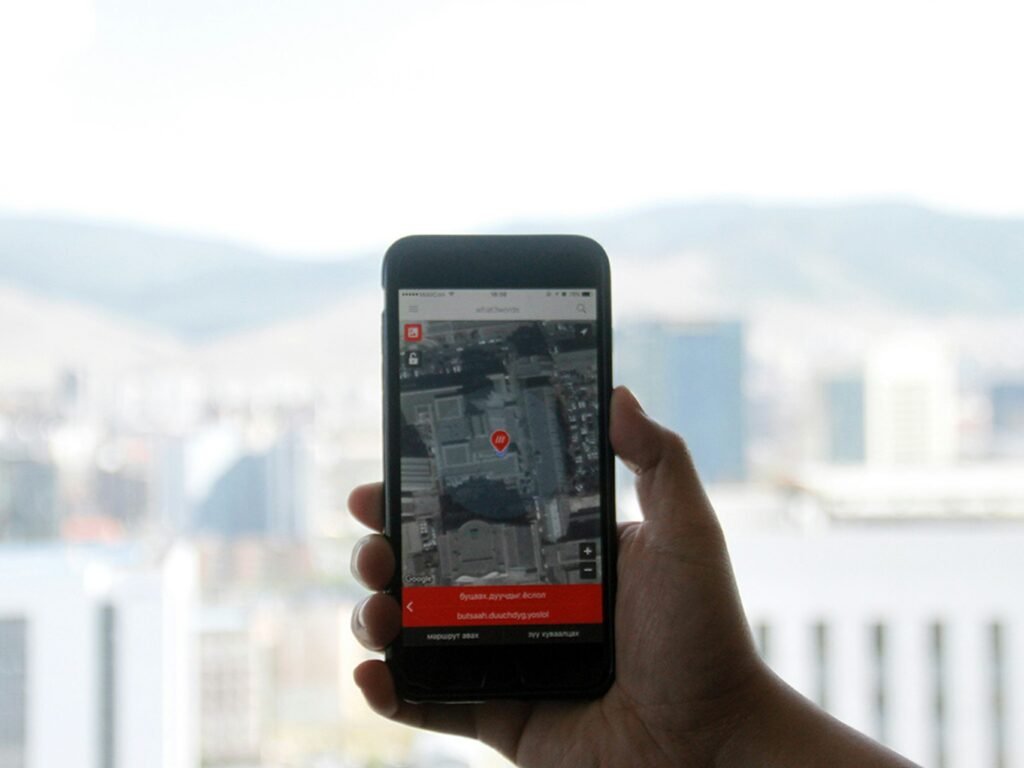
How to Stop Sharing Your Location without Them Knowing
Understanding Location Sharing
Location sharing refers to the practice of allowing others to see one’s geographical location in real-time or periodically. This can be facilitated through various applications and devices, which often enhance connectivity and foster communication among friends, family, and colleagues. Popular apps such as Google Maps, Find My Friends, and Snapchat have integrated location-sharing features, enabling users to share their whereabouts with identified contacts effortlessly.
The benefits of location sharing are manifold. For instance, parents may choose to share their location with their children for safety reasons. This practice can provide peace of mind, knowing that loved ones can be located swiftly in case of an emergency. Additionally, friends might share locations during group outings to streamline coordination, ensuring that no one gets lost or left behind. Furthermore, businesses utilize location sharing to improve customer engagement through targeted promotions or services based on one’s proximity.
Ultimately, understanding the concept of location sharing, its inherent benefits, and the possible risks is essential for making informed decisions about the practice. As technology evolves, so too do the considerations surrounding digital privacy and security regarding location data.
Reasons to Stop Sharing Your Location
In today’s digital age, the ability to share your location with friends, family, and various applications has become commonplace. However, there are several significant reasons why one might choose to discontinue this practice. Primarily, privacy invasion stands out as a crucial concern. By sharing your location, you inadvertently provide others with access to your whereabouts at all times, potentially leading to unwanted attention or intrusion into your personal life.
Unwanted tracking is another pertinent issue. Some individuals may use location-sharing features to monitor others without their consent, leading to a sense of suffocation or lack of autonomy. This is particularly relevant in relationships that may have boundaries blurred. Over time, such tracking can create feelings of distrust and discomfort, reinforcing the importance of establishing boundaries surrounding location sharing.
Personal safety is a salient reason for stopping location sharing. In an unpredictable world, it’s essential to remain cautious about who knows your location. For instance, sharing your location with acquaintances may expose you to risks, especially in situations where someone may have malicious intentions. Moreover, even well-meaning friends may unintentionally share your location with others, further complicating your safety.
Another compelling motive for halting location sharing is the desire to maintain independence. Individuals may wish to cultivate a sense of freedom in their lives, unencumbered by constant monitoring. Stopping the sharing of location data allows for a more spontaneous lifestyle, where a person can make independent choices without the weight of others’ expectations or oversight.
In various scenarios—be it personal relationships, professional settings, or family dynamics—the importance of controlling who knows your location cannot be overstated. Ultimately, recognizing these reasons can empower individuals to make informed decisions regarding their location-sharing practices.
Identifying Location Sharing Settings on Popular Apps
In today’s digital age, many social media and messaging apps offer location-sharing features that allow users to share their whereabouts with friends and contacts. However, there are instances when individuals may wish to stop sharing their location without notifying others. To do this effectively, it is essential to navigate the location-sharing settings on some of the most popular platforms.
Starting with Facebook, users can find location-sharing options by navigating to the main menu, selecting “Settings & Privacy,” and then choosing “Settings.” Under the “Location” section, one can view location history and adjust options to enhance privacy. By disabling the location setting, you ensure that your whereabouts are no longer shared with friends and contacts.
For Instagram, the process is similar. Users should open their app, head to their profile, and select the three horizontal lines in the top right corner, leading to “Settings.” From there, select “Privacy” and then “Location Services.” It’s advisable to toggle off location access for the app, thus preventing any sharing of location data in posts or stories.
Snapchat requires a slightly different approach. After launching the app, users should tap on their profile icon and then access “Settings.” Within “Who Can…” options, select “See My Location.” Here, you may choose “Ghost Mode,” which allows you to hide your location from friends while still enabling you to view their locations if desired. This ensures that you maintain the ability to engage with the app while keeping your location data private.
By following these steps in popular applications like Facebook, Instagram, and Snapchat, users can effectively manage their location-sharing settings. Understanding how to access and adjust these settings is crucial for anyone looking to protect their privacy in an increasingly connected world.
How to Disable Location Sharing in iOS Devices
Disabling location sharing on iOS devices is a straightforward process that ensures your privacy is maintained. To start, locate the Settings app on your iPhone or iPad, typically represented by a gear icon. Tap to open it, and then proceed to the Privacy section, which is where key permissions are managed.
In the Privacy menu, you will find an option labeled ‘Location Services’. Tap on this to access the specific settings associated with your device’s geographic tracking capabilities. You will see a list of applications that have requested access to your location. At the top of this menu, there is a toggle switch for ‘Location Services.’ Turning this switch off will disable location tracking for all applications on your device, ensuring that no apps can share or access your location data.
For a more refined approach, you can disable location sharing on a per-app basis. Scroll down in the ‘Location Services’ menu to identify the individual applications. Upon selecting an app from the list, you will see several options, including ‘Never’, ‘While Using the App’, or ‘Always’. By selecting ‘Never’, you will effectively deny that specific app the right to access your location.
It is important to note that depending on the iOS version, the steps to disable location sharing may slightly vary. Ensure that your device is updated to the latest iOS version to access all privacy settings effectively. Furthermore, be aware that disabling location sharing may impact certain app functionalities, such as navigation or location-based services, which rely on accurate geographic data. Therefore, you may wish to periodically review your location sharing preferences as you install new applications or update existing ones.
How to Disable Location Sharing in Android Devices
Disabling location sharing on Android devices involves several steps, which may vary slightly depending on the model and operating system version. However, the general procedure is quite similar across devices. Here, we will explore how to effectively turn off location sharing through the Android settings and popular applications, such as Google Maps.
To begin, navigate to the ‘Settings’ app on your Android device, which typically can be found on the home screen or in the app drawer. Once in ‘Settings,’ scroll down to find and select ‘Location.’ This section allows you to manage your location services. Here, you will see options related to location usage for various applications, including the ability to toggle location services on or off entirely.
If you wish to disable location sharing specifically for Google Maps, open the app and tap on your profile icon in the upper right corner. From the drop-down menu, go to ‘Location sharing.’ You will find a list of contacts with whom you have shared your location. Select each contact and choose ‘Stop sharing’ to end the location-sharing feature. For users who have shared their location through Google Maps, it is paramount to frequently check this section to ensure unwanted sharing does not occur.
Furthermore, depending on your Android version, you may have different permission options available. To remove location access for particular applications, return to the ‘Location’ settings and select ‘App permissions’ or ‘App-level permissions.’ Here, you can manage which applications are allowed to use your device’s location data. This customized control ensures that only select apps have access to your location, enhancing your privacy.
In conclusion, disabling location sharing on Android devices is a straightforward process that can significantly enhance privacy. By following the steps outlined here, users can stop sharing their location without others being aware, thus maintaining greater control over their personal data.
Using Airplane Mode and Other Workarounds
To maintain privacy and stop sharing your location without notifying others, several methods can be employed, including the use of Airplane Mode and various other workarounds. Airplane Mode is particularly useful for disabling all wireless communication on your device, effectively halting location tracking. By activating this feature, you can disconnect from all networks, preventing apps from accessing your geographical information and sending it to third parties.
However, it is worth noting that while Airplane Mode stops active location sharing, it does not entirely deactivate GPS functionalities. This means that location data may still be stored on your device until the mode is turned off, which could lead to potential exposure when reconnected to the internet. Consequently, users should be aware of this limitation and take necessary precautions to clear any saved location history after disabling Airplane Mode.
Another viable alternative is utilizing a Virtual Private Network (VPN). A VPN masks your IP address, providing an additional layer of privacy. While it doesn’t directly stop location sharing features built into most smartphones, it can obfuscate your online activities, making it more challenging for location-based services to pinpoint your exact whereabouts. Moreover, certain VPNs allow users to route their internet connection through various global servers, which can further enhance privacy by altering perceived locations.
Though these methods can be effective, they may have limitations depending on the smartphone and apps being used. Some applications may have built-in features that operate independently of your internet connection or GPS settings. Therefore, understanding how these workarounds interact with your device’s features is essential for effective location privacy management. Ultimately, employing a combination of these tactics can provide greater assurance in keeping your location confidential.
Communicating with Friends and Family
One of the most critical aspects of stopping location sharing without alerting your friends and family lies in transparent communication. Establishing personal boundaries regarding privacy can feel daunting, but it is essential in maintaining healthy relationships while prioritizing your own comfort. To begin, choose an appropriate setting for this conversation—preferably a relaxed environment where all parties can express their thoughts freely. This not only fosters openness but also ensures that everyone feels valued and heard.
When broaching the subject, it is important to explain your motivations for wanting to halt location sharing. Be candid about your desire for privacy and the personal space that accompanies it. Emphasize that the decision is not a reflection of your feelings towards them, but rather a personal choice aimed at creating a more comfortable environment for yourself. This clarity can significantly reduce feelings of rejection or abandonment among those close to you.
Another helpful tip is to suggest alternative methods of staying connected that do not involve location sharing. For instance, you can propose regular check-in calls or messages that allow you to stay updated without compromising your privacy. Offering these alternatives demonstrates your continued commitment to maintaining the relationship despite the changes in how you share information.
Encouraging your friends and family to share their own feelings on the matter ensures a two-way dialogue that can foster understanding. Be receptive to their concerns, and validate their feelings as they express their thoughts about your decision. This collective conversation can lead to a deeper appreciation of personal boundaries, reinforcing the bonds you share while also ensuring that everyone’s comfort levels are respected. Ultimately, prioritizing clear and respectful communication will lead to a better understanding of your choices and strengthen relationships despite changes in how much you share.
Understanding Legal Implications of Location Sharing
Location sharing has become an integral part of numerous applications and services today, raising significant legal implications related to privacy and personal freedom. Understanding these aspects is crucial when considering the appropriateness of divulging one’s location. In general, it is pertinent to recognize when it is lawful to share location information, especially concerning consent and the intended purpose of the sharing.
The legal framework surrounding location sharing is primarily influenced by privacy laws, which mandate informed consent from individuals before revealing their location to others. Laws such as the General Data Protection Regulation (GDPR) in Europe and various statutes in the United States impose strict guidelines to protect personal data. These regulations ensure that any party wishing to access location information must inform the individual and obtain explicit permission. Failing to abide by these laws can result in legal consequences and substantial penalties for the parties involved.
Furthermore, when utilizing location-based services, users bear certain responsibilities. Individuals must not only be mindful of their own privacy but also consider the rights of others whose locations may be inadvertently revealed through shared information. This awareness is especially navigating the complexities of shared applications, such as social media platforms that may automatically tag locations or allow others to view live location data without explicit consent. The critical responsibility lies in ensuring that sharing location does not impinge upon another person’s right to privacy.
Therefore, understanding the legal implications of location sharing is fundamental to using location services responsibly. This knowledge not only aids in compliant usage but also fosters a culture of respect for personal privacy in an increasingly interconnected world.
Conclusion and Final Tips
In summary, protecting your location privacy in the digital age is crucial. With the increasing use of location-sharing features across various applications, individuals must be diligent in managing their privacy settings to prevent unintended sharing of their whereabouts. Throughout this blog post, we have discussed several strategies for stopping location sharing without alerting others. These include adjusting app-specific settings, disabling location services on your device when not in use, and reviewing permissions granted to different applications.
Additionally, it is essential to regularly audit your privacy settings across all platforms and devices. Many apps offer granular controls that allow users to selectively share their location with specific contacts or during certain times, rather than continuously broadcasting their whereabouts. Taking these proactive measures can significantly enhance your privacy and reduce the likelihood of unwanted location tracking.
Furthermore, consider utilizing features such as location-based alerts judiciously. For example, some users may find it useful to enable location sharing directly with trusted contacts for specific purposes, such as coordinating meetings or ensuring safety during travel. However, it is paramount to turn off these features when they are no longer necessary. Always remember that temporary sharing can become permanent if not monitored closely.
Finally, continuous education and awareness about privacy settings are vital. As technology evolves, new features and privacy risks emerge. By keeping yourself informed and regularly adjusting your settings, you can minimize your exposure and keep your location private. This ongoing commitment to privacy will empower you to navigate the digital landscape with confidence, ensuring that your whereabouts remain private as you prefer.

We create powerful, insightful content that fuels the minds of entrepreneurs and business owners, inspiring them to innovate, grow, and succeed.