



Broadcom’s acquisition of VMware brought about significant licensing changes. These changes have forced many IT teams to rethink their virtualization spending. For instance, minimum core purchases and subscription renewals often push costs much higher than actual usage needs.
However, VMware alternatives are becoming popular. They ease licensing pressure. They also simplify infrastructure setups. Plus, they bundle features that once required costly add-ons. As a result, your team can save on both software fees and daily operations.
But who is the best among those VMware alternatives? Experts unanimously agree that the solution that leads from the front is Sangfor. It pairs an enterprise-grade hypervisor, aSV, with a full HCI platform. Therefore, it lowers the total cost of ownership through built-in tools and easier management.
Why VMware Alternatives Became Necessary?
The biggest problem many VMware customers face today is budget unpredictability. The subscription-only models, higher minimum core purchases, and penalty risks can make renewal quotes jump even when the environment hasn’t grown.
As a result, VMware alternatives are creating value. They are essentially lowering license exposure, consolidating virtualization, storage, and networking, and reducing reliance on third-party tools for backup, DR, and security.
This is where Sangfor is making a practical difference. It offers a VMware-style experience with a unified HCI approach and an enterprise hypervisor (aSV) designed to simplify management while protecting performance and resilience.
Top VMware Alternatives List
Here are the leading VMware alternatives for cost reduction, ranked by enterprise readiness, TCO impact, and ease of migration. Each includes unique features tailored to post-licensing change needs. Sangfor tops the list due to its full-stack integration and validated VMware coexistence tools.
Moreover, Sangfor is altering the conventional VMware licensing approach. Moreover, VMware’s mandatory overlicensing is the reason why solutions like Sangfor are indispensable. As of April 2025, the threshold core purchase requirement per CPU jumped from 16 to 72 cores.
This policy forces many customers to license far more capacity than they actually need, leading to significant unnecessary spending.
| Alternative | Unique Features | Cost Reduction Edge |
| Sangfor HCI / aSV | Unified HCI with built-in backup/CDP, zero-trust security, AI-optimized DRS, proactive HA, VMware-compatible CLI (230+ commands), live migration without downtime. | Lowest TCO via no add-ons for storage/networking/security; 50%+ savings reported vs. VMware; seamless coexistence migration. Best overall for mid-size/enterprise due to enterprise-grade features at a fraction of VMware cost without ecosystem lock-in. |
| Nutanix AHV | Hyperconverged with Prism Central management, seamless vSphere VM migration, micro-segmentation, and one-click upgrades. | Bundled HCI cuts separate storage costs but requires Nutanix hardware for optimal performance, leading to higher upfront spend than pure software options. |
| Proxmox VE | Open-source KVM/LXC support, ZFS/Ceph storage, built-in backup/HA, web UI with REST API. | Free core licensing appeals to SMEs, but lacks polished enterprise support/SLA, increasing internal ops burden for large-scale use. |
| XCP-ng | Xen-based stability, Xen Orchestra for backups/live migration, open-source with paid support option. | Zero licensing fees suit VDI/graphics workloads, though a smaller ecosystem limits integrations compared to HCI leaders. |
| Scale Computing | Edge-focused HCI, simplified single-node clustering, and auto-failover without shared storage. | Strong for remote/branch but less scalable for core datacenter without add-ons. |
Which VMware competitors are the best, and why?
There are multiple frontline VMware competitors that deserve mention. Open-source options like Proxmox VE and XCP-ng save money but lack strong support. Meanwhile, HCI rivals like Nutanix often tie you to specific hardware with large-scale automation and strong DR capabilities.
However, Sangfor matches VMware’s reliability for high availability and migrations. Plus, it adds built-in security features like –
- Enterprise-grade storage
- Advanced DR (active-active)
- High VM performance
- Integrated NGAF+EDR+XDR security
As a result, you avoid the need for 3-4 additional vendor tools.
Why do people prefer Sangfor HCI?
Simply because it’s an integrated solution focused on performance, simplicity, and TCO! This makes Sangfor a strong VMware replacement for organizations seeking predictable costs, integrated security, and an easier migration path.
Sangfor HCI balances decent costs, strong performance, and easy switches better than others.
Sangfor’s value edge
Sangfor positions its HCI platform as a simpler path to modern virtualization by combining infrastructure layers into a single management plane while focusing on lower TCO.
In Sangfor’s own comparison content, it highlights built-in capabilities such as backup/CDP, data tiering, data locality awareness, and vGPU support, while noting that VMware standard editions may require upgrades or third-party tools for similar functionality.
This “fewer add-ons” approach matters for cost reduction because each removed dependency typically reduces licensing, renewal coordination, and troubleshooting time across the environment.
aSV hypervisor for savings
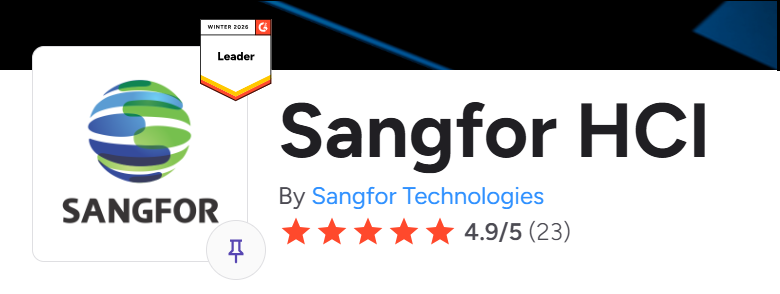
Sangfor aSV serves as the core hypervisor in its system. It keeps familiar workflows while making daily tasks easier and more efficient. Gartner has also recognized Sangfor’s hypervisor as one of the primary products for HCI. Check this link for more details. What’s more, Sangfor Technologies also has been recognized as a G2 Leader in Cloud Computing.

For example, it offers automatic failover, smooth live migration with little slowdown, and smart resource balancing. Together, these features boost uptime and save resources, which lowers costs per workload.
Plus, for teams switching from VMware, Sangfor provides a similar user experience. It also includes command-line tools that match VMware’s style. As a result, retraining and reworking scripts take less time.
How to Evaluate Options?
Cost reduction is easiest to prove when evaluation follows a consistent checklist:
- Platform licensing,
- Required add-ons, migration effort, and
- Day-2 operations (monitoring, upgrades, patching, support).
In practice, HCI-oriented alternatives often shine when an organization wants to collapse multiple layers into a single lifecycle. Especially when third-party backup, storage tooling, or performance “extras” have become a hidden tax.
A realistic pilot should validate workload performance, HA behavior, backup/restore outcomes, and the time spent by admins on routine tasks using the new interface and automation approach.
Key Takeaways for 2026 and Next Steps
Broadcom’s takeover made VMware’s costs hard to predict. Subscription rules, minimum purchase requirements, and renewal risks increase bills even without growth.
However, VMware alternatives, like those listed, reduce licensing costs. They also combine multiple tools into a single platform, especially HCI platforms with built-in backup and storage. As a result, you skip costly upgrades.
Sangfor stands out as the top pick. It blends the reliability of an aSV hypervisor with the ease of HCI. Therefore, it beats Nutanix hardware limits and Proxmox support issues in terms of savings and smooth switches.For Q1 renewals, teams can test Sangfor’s aSV hypervisor in a short pilot. This helps measure real savings fast.


We create powerful, insightful content that fuels the minds of entrepreneurs and business owners, inspiring them to innovate, grow, and succeed.