


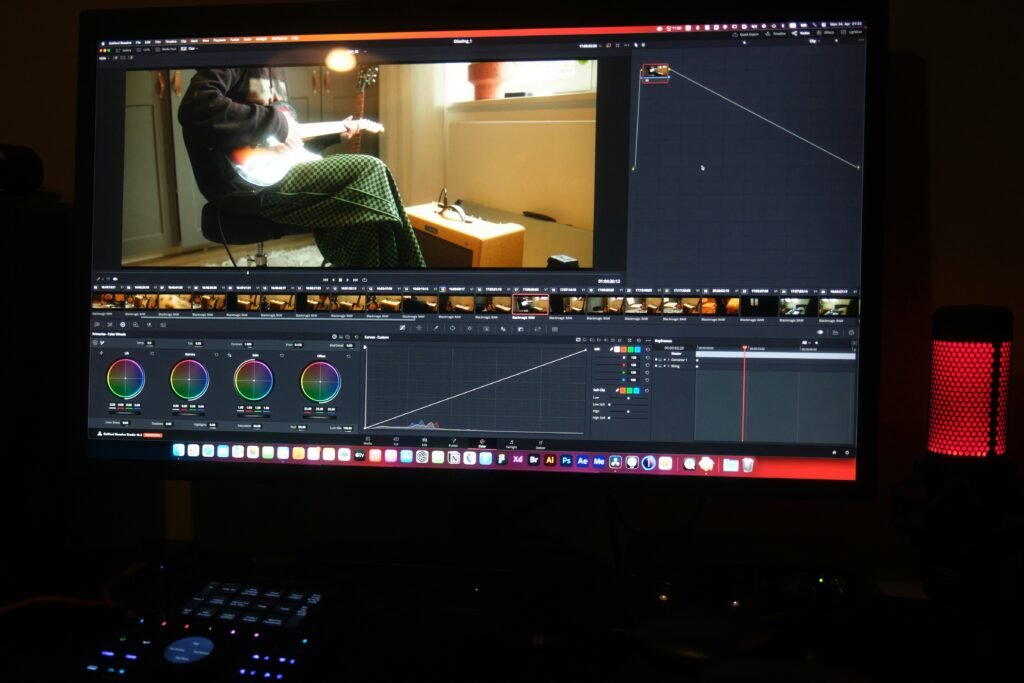
Introduction to Screen Recording Software
Screen recording software has become an essential tool in a variety of fields, allowing users to capture what is happening on their computer displays effectively. This technology serves multiple purposes, from creating educational tutorials and software demonstrations to recording gameplay and facilitating professional communicative efforts through video conferencing. The versatility of screen recording tools has contributed significantly to their rising popularity.
The primary function of screen recording software is to allow users to record their screens, including any actions performed, audio played, and even webcam footage. This multifaceted capability means that individuals and organizations can share their knowledge and experiences in an engaging manner. For instance, educators leverage screen recording tools to create instructional videos, which can enhance students’ understanding by providing visual representation alongside verbal explanations.
Furthermore, screen recording software is increasingly utilized in the gaming community, with gamers capturing their gameplay to share content on platforms like Twitch and YouTube. These recordings serve not only as entertainment but also as a means of storytelling and community building within gaming culture. Additionally, companies are embracing screen recording tools for organizational purposes, enabling remote teams to produce clear, concise visual reports and to convey complex ideas more effectively during virtual meetings.
As technology evolves, the demand for intuitive and efficient screen recording software continues to grow. Users are presented with a wide array of options tailored to different needs and preferences, making it crucial to understand which features are most vital for specific applications. By exploring the available choices, individuals can select the best software that aligns with their goals, whether for professional development, education, or leisure.
Top Free Screen Recording Tools
In the digital age, the necessity for effective screen recording software has surged, offering users a range of functionalities from capturing gameplay to crafting instructional videos. This section delves into some of the top free screen recording tools available, emphasizing their unique features, usability, and diverse applications.
One of the most popular choices among users is OBS Studio. This powerful open-source software is renowned for its flexibility and extensive feature set. It allows high-quality screen recording while also offering advanced features such as live streaming and real-time source mixing. Users appreciate its customizable interface, enabling a tailored experience, while its support for various operating systems—including Windows, macOS, and Linux—makes it accessible to a broad audience.
Another noteworthy option is the Snipping Tool, a built-in utility for Windows users. This tool excels in its simplicity, allowing users to take quick screenshots and screen recordings with minimal effort. While it may not have the advanced capabilities of OBS, the Snipping Tool serves well for casual users seeking straightforward functionality. Its ease of use makes it an ideal choice for those looking to capture short segments of their screen without delving into complex software.
Clipchamp is also gaining traction as an intuitive online screen recording tool. With a focus on user-friendliness, Clipchamp simplifies the recording process and provides options for editing recorded content. This cloud-based solution is particularly beneficial for users who prefer a convenient, web-based approach to screen recording software. The platform’s features include templates, transitions, and the ability to export videos in various formats, catering to users looking to create polished, professional-looking content.
In summary, selecting the right screen recording software largely depends on specific needs and preferences. OBS Studio is perfect for advanced users, Snipping Tool simplifies the process for casual users, and Clipchamp offers a balanced online solution for those interested in both recording and editing capabilities. Understanding these tools can significantly enhance the content creation experience.
Built-in Screen Recording Options for Windows
Windows offers several built-in screen recording software options that can be invaluable for users seeking to capture their screens efficiently. Among these options, the Snipping Tool and Clipchamp stand out for their accessibility and functionality. Both tools provide unique features that cater to different recording needs.
The Snipping Tool, primarily known for capturing still images of the screen, has evolved to include screen recording features in its latest iterations. To access it, users can navigate to the Start menu, typing “Snipping Tool” in the search bar. After launching the application, users will find a user-friendly interface that allows them to select the area of the screen they wish to capture. The tool supports multiple modes, including rectangular and free-form snips, making it suitable for various tasks.
In addition to the visual capture capabilities, the Snipping Tool allows users to annotate their recordings, enhancing the clarity of the shared content. Important keyboard shortcuts include Windows + Shift + S, which initiates the screen snipping feature, enabling quick access and efficient screen management.
On the other hand, Clipchamp provides a more advanced option for those requiring comprehensive video editing alongside screen recording. It can be accessed through the Microsoft Store or directly from the app in Windows 11. Clipchamp is especially useful for users looking to create tutorials or walkthroughs, as it allows for the recording of both the screen and webcam simultaneously. Users can easily edit their recordings, adding text overlays, trimming video segments, and incorporating transitions.
Key keyboard shortcuts for Clipchamp include F11 for full-screen recording and Ctrl + R to start the recording. These shortcuts streamline the process, allowing users to focus on their content rather than navigating through menus.
Overall, both Snipping Tool and Clipchamp exemplify the capabilities of built-in screen recording software in Windows. By leveraging these tools effectively, users can produce high-quality content tailored to their specific needs.
OBS Studio: A Comprehensive Free Tool
OBS Studio, short for Open Broadcaster Software, is a notable name in the realm of screen recording software. As a free and open-source option, it has gained extensive popularity among content creators, educators, and gamers alike. One of its main advantages is its high-performance recording capabilities without the burden of licensing fees.
At the heart of OBS Studio’s functionality is its powerful architecture that allows for seamless real-time video and audio capturing. Users can effortlessly set up multiple sources such as displays, webcams, and window captures to create custom layouts tailored to specific recording needs. This flexibility makes OBS Studio a prime choice for tutorials, live streaming, or gaming broadcasts.
In comparison to other screen recording tools, OBS Studio stands out with its advanced features. Notably, it offers a wide range of streaming options, enabling users to broadcast live to platforms like Twitch, YouTube, and Facebook with just a few clicks. The built-in encoder ensures that recordings are not only high quality but are also optimized for online distribution. This makes OBS Studio particularly appealing to those who require robust performance without sacrificing quality.
Moreover, the software supports various file formats, ensuring compatibility with different editing tools, which is other software might not offer. Users looking to integrate OBS Studio into their workflow can benefit considerably from its plugin support, opening avenues for additional features and enhancements that cater to specific user needs.
In summary, while many screen recording software options exist in today’s market, OBS Studio continues to be a frontrunner due to its comprehensive features, usability, and zero cost. It empowers users to create professional-quality recordings and broadcasts, making it an indispensable tool for anyone looking to leverage the power of digital content.”
Loom: Seamless Video Messaging
Loom has emerged as a significant player in the realm of screen recording software, primarily due to its user-friendly interface and efficiency in video messaging. Designed for both individual and collaborative environments, it enables users to easily capture and share their screens alongside their webcam feeds. This dual functionality not only makes it simple to convey ideas visually but also adds a personal touch that enhances viewer engagement.
One of the standout features of Loom is its instant sharing capabilities. After recording, users can immediately generate a shareable link that can be dispatched via email or messaging platforms. This feature is particularly advantageous in professional settings, where timely communication is critical. Colleagues can watch recorded messages at their convenience, which mitigates the scheduling constraints of live meetings. It streamlines the feedback loop, allowing teams to respond to inquiries or clarification requests more effectively.
The advantage of using Loom extends beyond mere functionality. The ease of use implicit in the design allows for minimal training, ensuring that even the less tech-savvy individuals can leverage it for their screen recording needs. The ability to annotate or edit videos in real-time further enhances comprehension and retention of information, making it an ideal tool for tutorials, presentations, or project updates.
Moreover, Loom integrates seamlessly with various workplace tools, which amplifies its utility in enhancing communication within teams. By adopting screen recording software like Loom, organizations can promote a culture of clarity and openness, resulting in more efficiently structured workflows.
ScreenPal: User-Friendly Capture Solution
ScreenPal emerges as an effective solution in the realm of screen recording software, presenting a user-friendly interface that simplifies the process of capturing both regional and full-screen content. Designed with beginners in mind, ScreenPal offers a host of features that make it easily accessible to users of varying experience levels. Its intuitive layout allows users to start recording within moments, requiring minimal setup and technical know-how.
One notable aspect of ScreenPal is its robust free tier, which allows users to dive into the functionalities of the software without any financial commitment. This is particularly beneficial for individuals or small teams looking to test the waters of screen recording before committing to any paid options. The free version includes essential features such as the ability to record the screen, add audio commentary, and share the finished product with ease. These features cater especially well to those new to screen recording software, providing them with a solid foundation to learn and grow.
Beyond basic usage, ScreenPal compares favorably against more advanced software options. While it may not encompass all the capabilities found in high-end tools, it strikes a balance between simplicity and functionality. For users who need straightforward screen recordings for tutorials, presentations, or educational purposes, ScreenPal stands out as a practical choice. The seamless integration with various platforms further enhances its appeal, allowing for quick uploads and distribution of recordings across the web.
In conclusion, ScreenPal exemplifies how screen recording software can be both accessible and effective. Its emphasis on user-friendliness paired with essential features makes it an excellent starting point for anyone wishing to explore the world of screen recording.
Bandicam: Lightweight and Efficient
Bandicam is a prominent choice in the realm of screen recording software. It is particularly recognized for its lightweight design, which makes it an ideal option for PC users and gamers who are looking for an efficient way to capture their screen activities. The software requires minimal system resources, enabling users to record high-quality videos without significantly affecting the performance of their machines.
One of the standout features of Bandicam is its smart zoom capability, which allows users to focus on specific parts of the screen while recording. This feature is especially beneficial for gaming content, as it enables content creators to highlight key gameplay moments without unnecessary distractions. In addition to smart zoom, Bandicam includes basic editing tools that can enhance the post-processing of recorded videos, making it easier for users to create engaging content with minimal effort.
Bandicam is suitable for various use cases. It serves bloggers, educators, and professionals who might want to create tutorials, presentations, or gaming videos. For instance, teachers can utilize Bandicam to record lectures or instructional videos, while gamers can document their gameplay sessions, share strategies, or provide walkthroughs. Its ability to capture high-definition video at frame rates up to 60 fps ensures that users do not have to compromise on quality for efficiency.
Moreover, Bandicam supports multiple formats and offers the option to include audio recordings either from the system or from external devices. This flexibility is essential for users who want to provide a comprehensive viewing experience to their audience. Overall, Bandicam stands out in the crowded field of screen recording software due to its lightweight nature, powerful features, and user-friendly interface.
Choosing the Right Tool for Your Needs
When selecting screen recording software, it is essential to align the tool with your specific content creation needs. Different users have varied requirements, be it for educational tutorials, gaming videos, or corporate presentations. Understanding these needs is the first step in making an informed choice.
One of the first considerations should be the type of content you intend to create. For instance, if you are focused on gameplay, software that offers high frame rates and advanced editing tools may be necessary. On the other hand, for simple instructional videos, a more straightforward application with easy editing capabilities might be sufficient. Identifying your primary use case will narrow down the choices considerably.
Another critical factor is the ease of use of the screen recording software. Some software may offer extensive features but can be difficult to navigate, especially for beginners. Opting for a user-friendly tool with an intuitive interface can significantly enhance your productivity and reduce the learning curve associated with new software. Trials or free versions can be beneficial in assessing this aspect.
The feature set of the screen recording software also plays a significant role in the decision-making process. Common features to look for include the ability to capture audio, edit recordings, and highlight mouse clicks. Advanced functionalities like live streaming and multi-device support may be more relevant for professional users. Carefully reviewing the feature set can help determine what software aligns best with your specific requirements.
Lastly, consider whether you prefer free or paid options. Free software may meet basic needs but may come with limitations such as watermarks or limited recording time. Paid options usually offer more robust capabilities and support, so assessing your budget and the value of potential features is crucial. Balancing cost with features will ultimately guide you to the right solution.
Conclusion and Future of Screen Recording Software
Screen recording software has become increasingly significant in today’s digital landscape, driven by the growing need for visual communication and online content sharing. This technology has evolved rapidly, offering users a wide array of features that cater to various needs, from educators creating tutorials to businesses conducting webinars. The accessibility and functionality of these tools have made them indispensable in modern communication and collaboration.
Recent trends in screen recording suggest a move towards more integrated solutions that combine recording, editing, and sharing capabilities within a single platform. This convergence is partially due to the demand for efficiency, as users prefer tools that provide a seamless experience without the need to switch between multiple applications. Additionally, the rise of remote work has amplified the use of screen recording software in business environments, allowing for clearer presentations and improved training processes.
Looking towards the future, advancements in technology, such as artificial intelligence and enhanced cloud computing, are expected to further transform screen recording software. AI-driven features may automate editing processes, such as removing pauses or adding captions, thereby streamlining workflows for users. Moreover, the integration of virtual reality and augmented reality may lead to innovative screen recording techniques that could revolutionize how we capture and share visual content.
As we navigate this evolving landscape, it is clear that screen recording software will continue to adapt to user demands, proving essential in a world increasingly reliant on visual communication. Therefore, staying informed about the latest developments in this software will be crucial for individuals and businesses alike, ensuring they leverage the full potential of these versatile tools.


We create powerful, insightful content that fuels the minds of entrepreneurs and business owners, inspiring them to innovate, grow, and succeed.